AI writes code faster than any human can review it. That is the pitch, and it is also the problem: the time you save writing code, you lose verifying it. SonarQube — the code-quality and security scanner used by more than 7 million developers and 75% of the Fortune 100 — has spent the last three weeks wiring itself into the agent loop. Its MCP server hit v1.32.0 on November 11, 2026, a Devin plugin landed on November 10, and searches for “sonarqube mcp server” are now rising 190% week over week in the US, according to Google Trends.
This is the verification layer the agent era has been missing: instead of your agent guessing whether its code is good, it can ask the scanner — in plain English — and get an answer grounded in real static analysis. Here is what shipped, what the server can actually do, and the five-part pattern for putting a quality gate inside an n8n workflow.
What shipped in November
Three releases, ten days apart, each one removing a different reason not to connect an agent to SonarQube.
v1.32.0 — November 11, 2026. The release driving the trend spike. It adds new architecture tools (get directives and findings), dependency filtering and pagination, and restores code-snippet analysis over HTTP/HTTPS for SonarQube Cloud. The architecture tools are the interesting part: an agent can now read what a codebase is supposed to look like, not just what it currently looks like.
v1.31.0 and v1.30.0 — November 3, 2026. These two complete OAuth authentication for the hosted MCP on SonarQube Cloud — the full MCP OAuth flow, token verification against Auth0 signing keys, on-behalf-of credential exchange, scope enforcement on tool listing and invocation, and protected-resource discovery metadata. They also introduced the opt-in architecture toolset (architecture_get and architecture_set), so an agent can read the current and intended architecture of a project and update the intended architecture through the server, plus a list_organizations tool so agents can work across multiple organizations in one session without a startup variable.
SonarQube plugin for Devin CLI — November 10, 2026. Sonar published an official plugin that gives Devin its verification view: the SonarQube CLI handles sign-in and checks, the MCP server is registered per project and started as a container, and Devin can query SonarQube during any session. It needs SonarQube Cloud (Enterprise, or Team on an annual plan) or SonarQube Server 2026.5 or later, installed with devin plugins install SonarSource/sonarqube-agent-plugins.
| November release | Date | What it adds |
|---|---|---|
| MCP Server v1.31.0 + v1.30.0 | Nov 3, 2026 | Full OAuth for hosted Cloud MCP; opt-in architecture tools; multi-org discovery |
| SonarQube plugin for Devin CLI | Nov 10, 2026 | Official Devin integration — MCP server + CLI + Vortex skills |
| MCP Server v1.32.0 | Nov 11, 2026 | Architecture tools (directives, findings); dependency filtering + pagination; snippet analysis restored over HTTP/HTTPS |
What the MCP server actually does
MCP (Model Context Protocol, Anthropic’s open standard for exposing tools to AI models) is the plumbing. The SonarQube MCP Server is a single standardized endpoint that translates a plain-English question into a precise SonarQube query and hands the answer back to the agent, in context, without the developer leaving their editor.
The tools Sonar names on the product page:
search_sonar_issues_in_projects— find bugs, vulnerabilities, and code smells across projects, with severity and type filters.list_quality_gatesandget_project_quality_gate_status— ask whether a project passes its quality gate, and why not.analyze_code_snippet— check a piece of code before it is committed.get_raw_source— pull the actual source behind a finding, so the agent fixes the real code instead of guessing.architecture_get/architecture_set(opt-in, v1.31.0+) — read the current and intended architecture, and update the intended one.
Sonar’s own example query is the one your agent will ask most often: “Are there any new vulnerabilities in this file?” The server translates that into the right tool call, SonarQube answers with its analysis, and the agent presents the finding in the editor. It can also act: update an issue’s status or mark a false positive directly from the assistant.

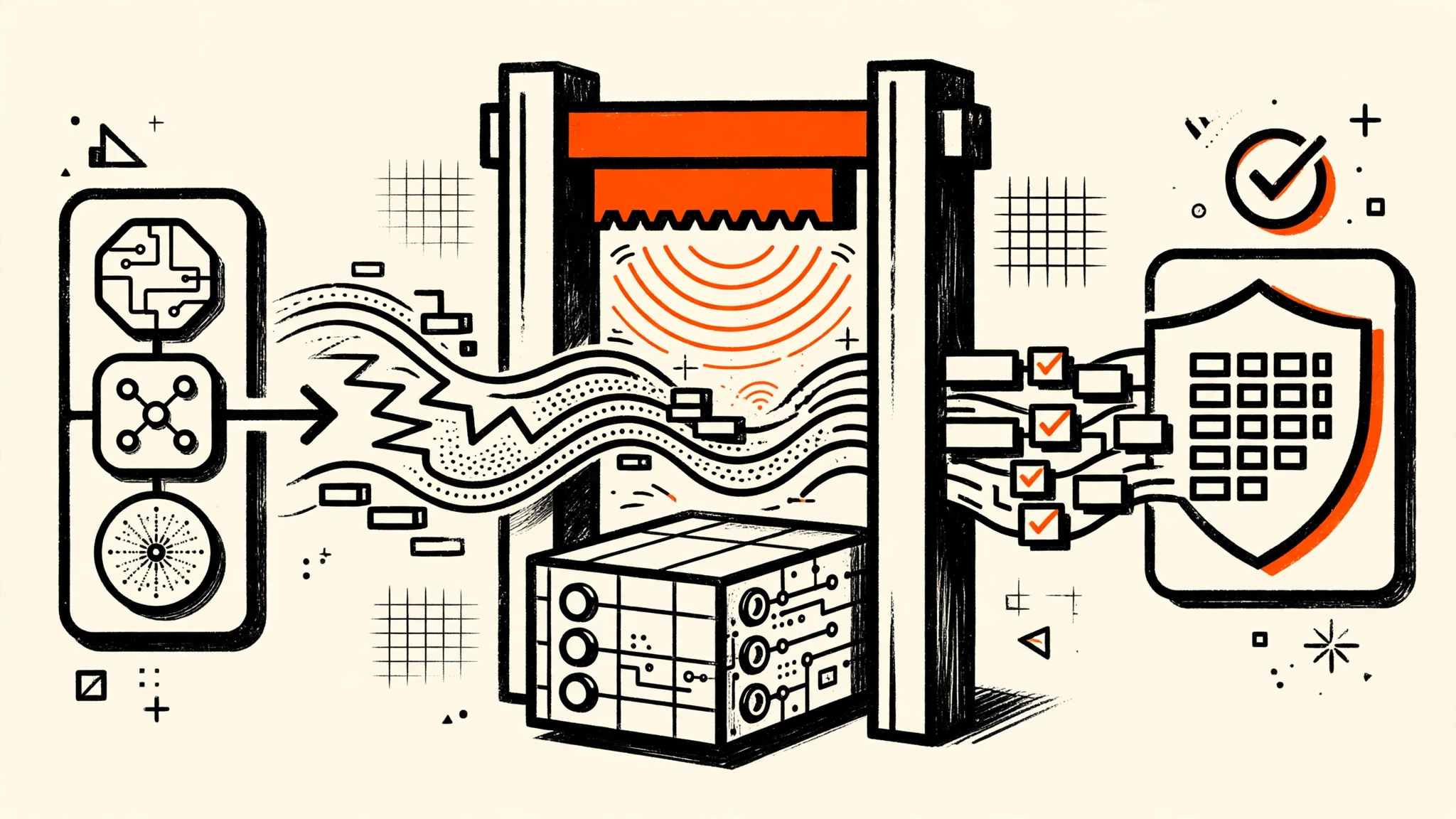
Fig 1 — The SonarQube MCP server v1.32.0 gate press. Code tape enters from the supply spool, the scanning head reads it, and the gate press stamps the verdict — clean code runs out into the pass bin, flagged issues drop into the fix drawer. The dial reads PASS. Numbers: v1.32.0 released Nov 11, 2026; v1.31.0 Nov 3, 2026 (OAuth complete); 7M+ developers, 75% of the Fortune 100; 5 named MCP tools; 3 deployment shapes.
There are three ways to run it. Cloud-hosted is embedded in SonarQube Cloud with nothing to install, but provides a smaller, fixed subset of tools. Server-hosted runs on SonarQube Server 2026.3 and later (Developer, Enterprise, and Data Center editions), where an administrator installs it as an extension and the agent connects to <YourSonarQubeURL>/mcp — the full toolset, except Sonar Vortex. Self-hosted runs the official Docker container and is the only option with full Vortex support, because Vortex needs local filesystem access. Sonar also ships an official configuration generator that builds a working config for your IDE or CLI.
Why this matters for n8n builders
The pattern from the last two weeks of agent news is consistent: the agents that survive contact with production are the ones with a verification step that is not the agent itself. Google’s own threat researchers caught an AI agent turning patches into exploits with no human in the loop — the same velocity that makes agents useful makes their mistakes scale. A quality gate that lives outside the agent is the cheapest insurance against that.
SonarQube’s server is that gate, and it speaks MCP, which is the same protocol n8n’s AI Agent node already speaks through its MCP Client Tool node. The wiring is not a new integration to build — it is a connection to make. The agent writes or changes code, the workflow asks SonarQube whether the change passes, and the result decides what happens next: merge, fix, or escalate to a human.
The architecture tools add a second, quieter capability. A gate that only checks “is this code clean?” is a linter. A gate that also knows the intended architecture — the components and relationships the team agreed on — can catch the drift that linters miss: a new dependency on a module that was supposed to stay isolated, a service calling a database it was never meant to touch. v1.32.0’s dependency filtering and findings tools are what make that check answerable in a workflow.
The five-part quality-gate pattern for n8n
This is the shape to copy. Each part maps to one or two nodes, and every part exists so a failure lands somewhere visible instead of silently shipping.
1. Connect the MCP server as a tool, not as a prompt. Add an MCP Client Tool node to your AI Agent node, using the HTTP Streamable transport. For a self-hosted SonarQube Server 2026.3+, the endpoint is <YourSonarQubeURL>/mcp; for SonarQube Cloud, use the hosted endpoint from your Cloud organization settings and authenticate with OAuth (complete since v1.31.0) or a token, following Sonar’s setup docs. Keep the tool list narrow: expose the read tools (search_sonar_issues_in_projects, get_project_quality_gate_status, analyze_code_snippet) to the agent, and keep the write tools (updating issue status, setting architecture) behind a separate, approval-gated path. An agent that can mark its own findings as false positives is not a gate.
Note: the Cloud-hosted MCP provides a smaller, fixed subset of tools than the Server-hosted or self-hosted Docker deployment. If your workflow needs the architecture tools or Vortex, check which deployment you are on before you build — the tool list the agent sees will be different.
2. Gate on the quality gate, not on vibes. After the agent produces or changes code, call get_project_quality_gate_status for the affected project and branch. An IF node branches on the result: pass goes forward, fail goes to the fix loop. Do not let the agent summarize the gate status in its own words and proceed on that summary — read the structured result and branch on it.
3. Give the fix loop a budget. A failed gate sends the findings (search_sonar_issues_in_projects, filtered by severity) back to the agent with the instruction to fix them, then re-runs the gate. Cap this at two or three attempts with a counter in the workflow. An agent that loops forever on a finding it cannot fix is a workflow that never finishes — and one that burns tokens while it tries.
4. Put a human between the gate and the merge. Quality gates catch code problems, not judgment problems. A change that passes SonarQube can still be the wrong change. Route anything that touches authentication, payments, or data deletion through a human approval step (Telegram, Slack, or email) before it merges or deploys — the same approval-gate discipline as our n8n 2.43.0 guardrails guide. The gate decides whether the code is clean; the human decides whether it should exist.
5. Log the gate result where you can audit it. Append every gate decision — project, branch, gate status, issue counts by severity, attempts used — to a sheet or database outside the workflow. When a bad change ships anyway, the log tells you whether the gate passed it, the agent overrode it, or the gate never ran. That is the difference between a postmortem and a shrug.
If you have not connected an MCP server to n8n before, our step-by-step MCP connection guide covers the MCP Client Tool node setup, and the troubleshooting guide covers the connection failures you are most likely to hit.
Honest limits
A few things to keep straight before you wire this up. The Cloud-hosted MCP is a fixed subset of tools — Sonar does not publish the exact list on the product page, so confirm the architecture tools are available on your deployment before depending on them. The architecture toolset is opt-in, not on by default. Sonar Vortex, the feature that gives agents context from your actual codebase, needs local filesystem access and is not available on the hosted options at all. The server code is under Sonar’s source-available license, not an open-source license — free to deploy, but read the terms before building a product on it. And the n8n handshake pattern above is assembled from Sonar’s documented MCP surface and n8n’s documented MCP Client Tool node — I have not run it end to end against a live SonarQube instance, so treat the node configuration as a starting point to verify, not a tested recipe. The Devin plugin numbers (editions, version requirements) are Sonar’s own published requirements as of November 10.
FAQ
What is the SonarQube MCP Server?
A Model Context Protocol server from Sonar that connects AI coding agents to SonarQube’s code-quality and security data. An agent asks a question in plain English — “are there any new vulnerabilities in this file?” — and the server translates it into a SonarQube query and returns the analysis in context.
What is new in v1.32.0?
Released November 11, 2026: new architecture tools (get directives and findings), dependency filtering and pagination, and restored code-snippet analysis over HTTP/HTTPS for SonarQube Cloud.
How do I connect it to n8n?
Use n8n’s MCP Client Tool node with the HTTP Streamable transport. For SonarQube Server 2026.3+, the endpoint is <YourSonarQubeURL>/mcp; for SonarQube Cloud, use the hosted endpoint with OAuth (complete since v1.31.0) or a token. Expose read tools to the agent and keep write tools behind an approval gate.
Does the Cloud-hosted MCP have all the tools?
No. The Cloud-hosted option provides a smaller, fixed subset of tools. The Server-hosted option (2026.3+) has the full toolset except Sonar Vortex, and the self-hosted Docker deployment has the full toolset including Vortex.
What does the Devin plugin add?
Published November 10, 2026, it gives Devin the SonarQube CLI, the MCP server, and Vortex skills — Devin can query SonarQube during any session and have its code checked against your standards. It needs SonarQube Cloud (Enterprise, or Team on an annual plan) or Server 2026.5+.
Is the SonarQube MCP Server open source?
No — the code is under Sonar’s source-available license. It is free to deploy (Docker image, Cloud-hosted, or Server extension), but it is not an open-source license.
Key Takeaways
- SonarQube MCP Server v1.32.0 shipped November 11, 2026 — architecture tools, dependency filtering, and restored snippet analysis, on top of full OAuth for the hosted Cloud MCP from v1.31.0 (November 3).
- The trend is real but specific — “sonarqube mcp server” is up 190% as a rising query for “MCP server” in the US; the driver is the November release wave, not a single launch event.
- The gate belongs outside the agent — an agent that checks its own work is not a check. SonarQube’s analysis is the independent verdict, and n8n’s MCP Client Tool node is the connection.
- Keep write tools behind approval — let the agent read findings and gate status freely; let it mark false positives or set architecture only after a human says so.
- Cap the fix loop at two or three attempts and log every gate decision somewhere auditable — a gate you cannot audit is a gate you cannot trust.
Next: wire the MCP Client Tool node to your SonarQube instance this week and run one real agent-written change through the gate. If the gate catches something the agent missed, you have just bought the cheapest code review you will ever get. If it catches nothing, check that the gate is actually running — a silent pass is the one result you should never trust on faith.